
How to Improve Your Gaming Performance and Reaction Speed
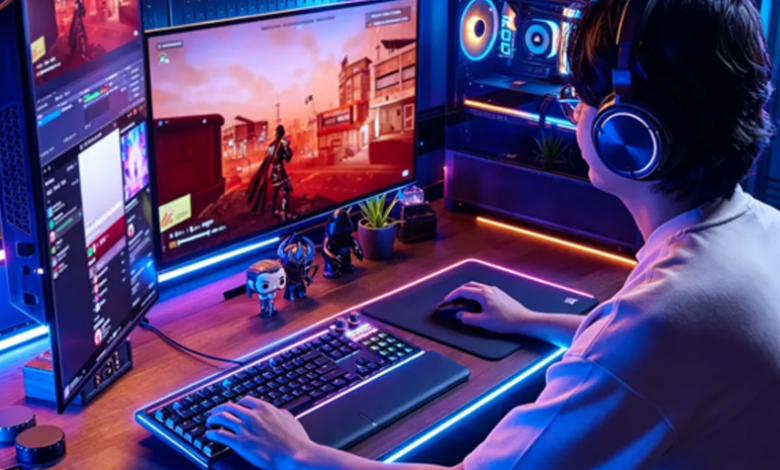
Gaming performance depends on more than having a powerful computer or the latest gaming equipment. Smooth gameplay, quick responses, and stable performance all contribute to a better gaming experience. Whether you enjoy competitive shooters, racing games, or online multiplayer titles, understanding your system’s performance can help you identify problems and improve your skills. A few simple checks, including an FPS test, keeping your drivers updated, and measuring your response speed, can make a noticeable difference.
Understand Your Gaming Performance
One of the most important factors in gaming is the frame rate, commonly measured in frames per second (FPS). FPS determines how many individual frames your computer displays every second. A higher and more stable frame rate generally makes gameplay look smoother and controls feel more responsive.
Running an FPS test is a useful way to evaluate how well your system handles a particular game. It can help you identify whether your computer delivers consistent performance or experiences sudden drops during demanding scenes. For example, if a game runs smoothly in quiet areas but becomes choppy during intense battles, your hardware or system settings may need attention.
You can monitor FPS using built-in game settings, graphics software, or dedicated performance-monitoring tools. Compare results across different graphics settings to find a balance between visual quality and smooth gameplay. Remember that stable frame rates are often more important than achieving an extremely high number that frequently fluctuates.
Keep Your Graphics and System Drivers Updated
Outdated drivers can sometimes cause compatibility problems, reduced performance, graphical glitches, or unexpected crashes. Drivers help your operating system communicate properly with hardware components such as graphics cards, sound devices, and network adapters.
Regularly checking for updates and choosing to update drivers can help maintain system stability and ensure compatibility with newer games and applications. Graphics card manufacturers frequently release driver updates that include performance improvements, bug fixes, and support for recently released titles.
To update your drivers, visit the official website or software application provided by your hardware manufacturer. Check your graphics card model and operating system before downloading an update. You should also consider updating other important drivers, including chipset and network drivers, when necessary.
Avoid downloading drivers from unfamiliar websites because unofficial files may contain unwanted software or incorrect versions. Creating a restore point before major driver changes is also a sensible precaution. Keeping drivers current does not guarantee higher FPS in every game, but it can help prevent problems caused by outdated or incompatible software.
Measure Your Response Speed
Gaming is not only about computer performance. Your personal skills also play an important role, particularly in competitive games where quick decisions can determine the outcome. Reaction speed affects how quickly you respond to visual or audio signals, such as an approaching opponent, a sudden obstacle, or an unexpected change in the game environment.
A reaction time test can help you measure how quickly you respond to a visual signal. Most online tests work by displaying a color change or another visual cue and asking you to click or press a key as quickly as possible. The result is usually displayed in milliseconds.
Taking the test several times can provide a more useful picture of your typical response speed than relying on a single attempt. Factors such as tiredness, concentration, stress, and distractions can influence your results. For more consistent measurements, take the test in a quiet environment when you feel alert.
You can also use reaction-time exercises as a simple way to practice focus and responsiveness. However, these tests are not a complete measure of gaming ability. Game knowledge, positioning, decision-making, and experience are equally important.
Optimize Your PC for Smoother Gameplay
Besides checking FPS, drivers, and reaction speed, a few basic maintenance habits can help your computer perform more consistently. Close unnecessary background applications before launching demanding games. Programs running in the background may consume memory and processing power, leaving fewer resources available for gameplay.
Check your available storage space and remove temporary files when necessary. If your computer becomes unusually hot during gaming, inspect its cooling system, fans, and ventilation. Excessive heat can cause hardware to reduce its performance to protect itself.
You should also review in-game graphics settings. Lowering demanding options such as shadows, reflections, and certain visual effects may improve frame rates on less powerful systems. Experiment with individual settings instead of reducing everything immediately, so you can maintain good visual quality while improving performance.
Build a Better Gaming Experience
A smooth gaming experience comes from a combination of reliable hardware, updated software, and personal skill. An FPS test helps you understand how efficiently your system runs games, while regular driver updates can improve compatibility and stability. Meanwhile, a reaction time test gives you an idea of how quickly you respond to visual signals.
By checking these areas regularly and maintaining your computer properly, you can identify performance issues, make informed adjustments, and enjoy more consistent gameplay. Small improvements to your system and gaming habits can make a meaningful difference over time.