
Running Expert Advisors On MT4 Without Wrecking Your Account
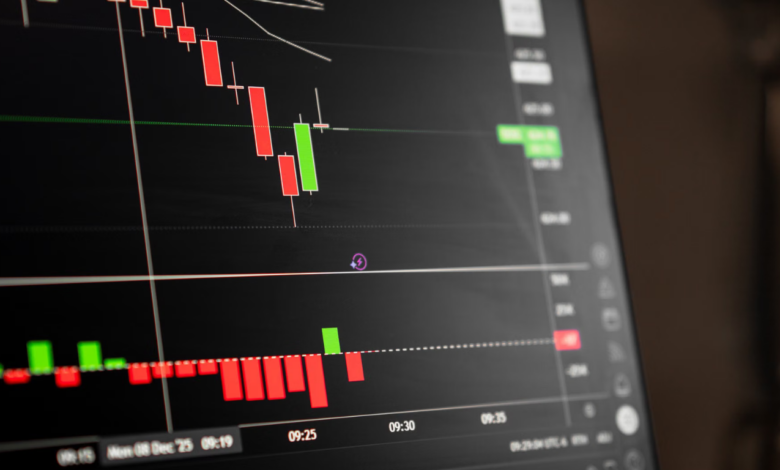
Automated trading sounds effortless. Attach a robot to a chart, switch on one button, and let software handle entries while you live your life. Anyone who has actually done it knows the picture is messier. Robots follow rules perfectly and judgment poorly. They will keep firing orders into a spread blowout, a holiday thin market, or a news spike that no backtest ever contained. Used carefully, an Expert Advisor is a tireless assistant. Used carelessly, it drains an account faster than any human could.
Begin with the history. Strategy backtests inside MT4 are only as honest as the data feeding them, and the free history that ships with most terminals is patchy. Modeling quality shown in the tester report tells you how much of the test used real tick data versus interpolated guesses. A glowing equity curve built on ninety percent modeling quality deserves respect. One built on twenty-five percent deserves a shrug, no matter how beautiful the line looks.
Anyone setting up automation with mt4 on pc should also understand what has to stay running. Expert Advisors only trade while the terminal is open, connected, and showing the AutoTrading button in green. Close the laptop lid, lose Wi-Fi, or let Windows restart overnight for updates, and the robot simply stops, sometimes leaving positions unmanaged. That fragility is the reason serious users move robots to a virtual server that never sleeps and never installs surprise patches mid-session.
Curve Fitting and Other Quiet Traps
Optimization is where good intentions go wrong. Feed the tester a thousand parameter combinations and it will happily crown the one that fit last year’s price action perfectly. That result usually collapses on fresh data, because it memorized noise instead of finding an edge. Warning signs include razor-thin parameter sweet spots, strategies that need unusually precise inputs, and performance that vanishes when a setting moves by ten percent. Robust systems survive small changes. Fragile ones do not.
Forward testing exposes what backtests hide. Run the robot on a demo account for at least a month and compare real fills against tester assumptions. Spreads widen at rollover, slippage appears during news, and some brokers add small execution delays. A strategy earning four pips per trade in a clean backtest may earn one pip in live conditions, which can flip a profitable system into a losing one. Better to learn that on play money.
Guardrails Worth Setting Before Going Live
Use a fixed risk per trade rather than a fixed lot size, so exposure scales sensibly with the account. Give every order a stop loss placed by the robot itself, not by hope. Limit the maximum number of open positions, and set a daily loss threshold after which the robot stops trading until you review it. Each EA also carries a magic number, a unique identifier that lets it recognize its own orders. Two robots sharing one number will interfere with each other’s trades.
Watch the Experts tab in the terminal panel daily during the first weeks. Error messages there reveal rejected orders, invalid stop distances, and connection drops long before the equity curve complains. Keep a simple journal noting version numbers and changes. When performance shifts, that record shows whether the market changed or the code did, which is a distinction that saves a great deal of guessing.
Keep a short checklist taped near your monitor: terminal connected, AutoTrading green, correct account, correct server, and a sensible lot size. Running through those five items before any session catches most avoidable accidents, including the classic mistake of leaving a test robot active on a live account.
Finally, stay skeptical of sellers promising fixed monthly returns. No honest robot guarantees profit, and any vendor who hides trade history, refuses verified live statements, or pressures buyers with countdown timers has already told you what you need to know. Trade real results, not screenshots.